When you click on links to various merchants on this site and make a purchase, this can result in this site earning a commission. Affiliate programs and affiliations include, but are not limited to, the eBay Partner Network.
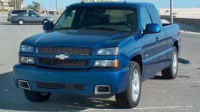
I recently purchased a 2005 Silverado Crew Cab that has check engine lights, I had the codes read before purchasing at a local auto parts store no problem when I try and read them on my personal code reader I get a link error.
The cigarette lighter fuse is not blown, and I follow correct procedures to connect the reader. The OBD II port looks good no corrosion or debris and the male end of reader doesn't have any bent prongs.
What I struggle with is how their code reader works, but mine won't I have also tried a friends code reader and nada. Any insight anybody might be able to offer will be greatly appreciated I'm trying to knock some of the items off the check engine list, but don't want to have to go to the auto parts store after every change I make.
I did write down the codes, they were P0449, P0161, PO141 (It threw two other O2 sensor codes can't remember them off the top of my head, the last was for the MAF. The MAF was the first fix I attempted by just cleaning it. The EVAP solenoid I did a little reading on and found that my truck had already been updated to the newer style that has two fittings (the second being the filter that sits above tranny) at $150 to replace it I decided to go back to the original 1 fitting style which was $21.76.
The O2 sensors were actually a little more fun, I had read that the fuse could be blown causing the check engine lights I had so I checked. I did have one of the two fuses blown I replaced it and one drive later I checked it was blown again. I didn't have a code reader, and the check engine light hadn't gone out so I had to visually inspect the fuse in order to see if maybe I had cured one of my codes. After seeing it had blown again I knew I had a short, so I started inspecting the O2 sensors and wires. sure enough on the driver's side on the vehicle harness end I found the wire loom had been rubbing the front driveshaft so I repaired that.
The big thing was a loud lifter tick the truck had, after reading many, many, many threads on this forum I decided to try replacing the oil pickup tube o-ring. While doing this the battery was unhooked for multiple hours which allowed for the computer to reset. The o-ring fixed my loud tick which was a huge relief and the computer reset cleared my codes and fingers crossed they haven't returned yet about 200 miles driven since the o-ring replacement.
I'm extremely grateful for this community and their knowledge without it I would still be trying to fix my truck.
Just re-reading your post. Even if you can't read all the codes, you shouldn't be getting a link error. (Is that all it tells you?)
Your truck is a bit special, because it's in a transition year. Part of the data network is the old Class 2 system, and part of it is the newer high speed system. Both are exposed on the OBD port. Maybe this is confusing your scanner. If the device lets you, try forcing the communication mode to either VPW, or 500kbps CAN bus. The other possibility, is that the port is faulty, and one or the other systems aren't accessible (the one your scanner is trying to use). High end scanners will be able to read codes from either system. Check the port for crusty pins or broken wires.
Last edited by mountainmanjoe; Mar 30, 2020 at 3:04 PM.
I recently purchased a 2005 Silverado Crew Cab that has check engine lights, I had the codes read before purchasing at a local auto parts store no problem when I try and read them on my personal code reader I get a link error.
The cigarette lighter fuse is not blown, and I follow correct procedures to connect the reader. The OBD II port looks good no corrosion or debris and the male end of reader doesn't have any bent prongs.
What I struggle with is how their code reader works, but mine won't I have also tried a friends code reader and nada. Any insight anybody might be able to offer will be greatly appreciated I'm trying to knock some of the items off the check engine list, but don't want to have to go to the auto parts store after every change I make.
What about the female terminals in the OBD port? Do they appear to be spread out? Look at them straight on with a flashlight - you should see the tang “closing” the gap - if you can see any space between the tang and the outer wall of the terminal, it may not be getting a good connection with your scanner.
You can also try pushing/pulling on the plug to see if that makes or breaks the connection.
It’s not difficult to release them from the OBD port, bend the tang back, then reinsert them.





 OBDII Port Link Error