


CarPlay not connecting


Thread Starter
CF Beginner
Joined: Oct 2023
Posts: 2
Likes: 0
 CarPlay not connecting
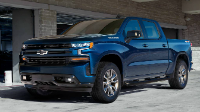
Has anyone experienced your Apple CarPlay not working? About a month ago it just stopped playing mid podcast. Since then I’ve done the following with no fix: disconnect and forget phone and vehicle via Bluetooth, tried using the USB cord (yes it is the factory cord that came with my phone), resetting the infotainment center, changed the fuse (F41), and redid everything else after changing the fuse. And since a couple days ago it takes about 2 minutes for my Bluetooth to even connect to my phone. I have an iPhone 11 Pro Max and 2022 Silverado 1500 RST refresh.
does anyone have any solutions I’ve missed?
does anyone have any solutions I’ve missed?

Thread Starter
CF Beginner
Joined: Oct 2023
Posts: 2
Likes: 0
It’s not worth taking a new vehicle to a dealer service department. You pretty much need an IT guy to figure this out.
Also in case anyone else runs into this problem, the solution is to turn off your VPN.
Also in case anyone else runs into this problem, the solution is to turn off your VPN.

CF Beginner
Joined: Feb 2025
Posts: 1
Likes: 0
VPN "Fix"
I recently bought an iPhone 16 Pro Max and after having an iPhone 13 Max for many years and my CarPlay was working perfect. I've tried everything, even the dealer. I made sure my VPN was OFF and it was, but still not working.
I bought the "Lightening Cord" (based on a post in a different forum) from Verizon for my iPhone. I took it to a dealer and they were perplexed, Verizon didn't have a clue (which didn't surprise me), so at this point, I am completely lost.
I'm getting map Audio Instructions (which is all I need from CarPlay) through the speakers, but not the Map off the Phone. I've plugged into all the USB Ports in the truck, of course removed and re-Paired. I am connected with Bluetooth, which I'm assuming is why I get Audio.
My Truck does not have Wireless CarPlay, as far as I know. Basically I tried everything I've read through research and it SHOULD be connecting. In Fact, my Truck isn't even showing up on my phone when I went through the CarPlay connect process on the phone.
I know this is lengthy, but wanted to make sure I identified everything I've tried. ANY INPUT would be Welcome.
John
SSGT USMC
I bought the "Lightening Cord" (based on a post in a different forum) from Verizon for my iPhone. I took it to a dealer and they were perplexed, Verizon didn't have a clue (which didn't surprise me), so at this point, I am completely lost.
I'm getting map Audio Instructions (which is all I need from CarPlay) through the speakers, but not the Map off the Phone. I've plugged into all the USB Ports in the truck, of course removed and re-Paired. I am connected with Bluetooth, which I'm assuming is why I get Audio.
My Truck does not have Wireless CarPlay, as far as I know. Basically I tried everything I've read through research and it SHOULD be connecting. In Fact, my Truck isn't even showing up on my phone when I went through the CarPlay connect process on the phone.
I know this is lengthy, but wanted to make sure I identified everything I've tried. ANY INPUT would be Welcome.
John
SSGT USMC

CF Beginner
Joined: Feb 2025
Posts: 1
Likes: 0
I recently bought an iPhone 16 Pro Max and after having an iPhone 13 Max for many years and my CarPlay was working perfect. I've tried everything, even the dealer. I made sure my VPN was OFF and it was, but still not working.
I bought the "Lightening Cord" (based on a post in a different forum) from Verizon for my iPhone. I took it to a dealer and they were perplexed, Verizon didn't have a clue (which didn't surprise me), so at this point, I am completely lost.
I'm getting map Audio Instructions (which is all I need from CarPlay) through the speakers, but not the Map off the Phone. I've plugged into all the USB Ports in the truck, of course removed and re-Paired. I am connected with Bluetooth, which I'm assuming is why I get Audio.
My Truck does not have Wireless CarPlay, as far as I know. Basically I tried everything I've read through research and it SHOULD be connecting. In Fact, my Truck isn't even showing up on my phone when I went through the CarPlay connect process on the phone.
I know this is lengthy, but wanted to make sure I identified everything I've tried. ANY INPUT would be Welcome.
John
SSGT USMC
I bought the "Lightening Cord" (based on a post in a different forum) from Verizon for my iPhone. I took it to a dealer and they were perplexed, Verizon didn't have a clue (which didn't surprise me), so at this point, I am completely lost.
I'm getting map Audio Instructions (which is all I need from CarPlay) through the speakers, but not the Map off the Phone. I've plugged into all the USB Ports in the truck, of course removed and re-Paired. I am connected with Bluetooth, which I'm assuming is why I get Audio.
My Truck does not have Wireless CarPlay, as far as I know. Basically I tried everything I've read through research and it SHOULD be connecting. In Fact, my Truck isn't even showing up on my phone when I went through the CarPlay connect process on the phone.
I know this is lengthy, but wanted to make sure I identified everything I've tried. ANY INPUT would be Welcome.
John
SSGT USMC
The issues with wired Carplay are pretty common, I found these reports on many cars. It seems like the iPhone, especially the 15/16 with the USB-C ports, are really sensitive to the cable and any movement that might disturb the connection in the slightest. Anyway, this 100% solved any issues I had with losing connection, and it connects lightning fast no waiting. It may work for you as well.

Thread
Thread Starter
Forum
Replies
Last Post