When you click on links to various merchants on this site and make a purchase, this can result in this site earning a commission. Affiliate programs and affiliations include, but are not limited to, the eBay Partner Network.
I bought 2025 Silverado High Country with Super Cruise. It keep displaying error message on the instrument cluster “ Service Driver assist System” Also These are photos of the phone not detected in the myChevrolet app, and the infotainment system showing an ''unexpected error code'', there also a photo of IPhone 16 pro max showing a ''weak connection signal''. The vehicle's Blind Spot monitor does not light up mostly on the passenger side when passing a vehicle and sometimes when a vehicle is approaching from behind. Same as right driver side, but mostly the passenger left side is the issue, also when in Super Cruise mode the left Driver side ''Auto Lane Turn signal'' does now always initiate.
The Infotainment system shows error always, also the iPhone 16 pro max is never detected after a day of being paired, If go to
Settings
MyChevrolet
In-vehicle Notifications
Or
My Chevrolet
Click the Gear next email
In-vehicle notification
It says "unexpected error "
Also the phone not being detected so it does not unlock the infotainment system. You always have to hand input the infotainment system code.
Phone does not Auto-unlock on start up screen , if you unpair and disconnect phone and repair device , it will work for one day correctly, after that day , it stop working and phone goes back to not detected. Anyone has this issue. The dealership is calling it an communication issue, it not throwing any hard codes, the dealership is in talk with GM, basically they don’t know the problem nor the fix as of now, it been there twice for this problem, they told me to drive until they get more information, it has only 4000 miles on truck.
Welcome to the forum. Since this is the Welcome New Members section of the forum, I'm going to move your post to the Silverado section where you will get more views and people can see your results.
One thing to try is to put a battery charger on the battery for several hours, and then check to see if there are any Over The Air (OTA) software updates/upgrades for your vehicle. Then see if the problems you were experiencing are still happening. For whatever reason, the in-vehicle "computer system" seems to be really picky as to the state of charge for the vehicle's battery. I had trouble 2 years ago with OTA updates not being able to install. Dealership did not have a clue, OnStar did not have a clue.
Finally, I got the service manager of the dealership's service department to sit in the truck with me while the system tried and failed to install updates with an OnStar Tech Support person on the phone.
A day or two later, I received a call back from OnStar Tech Support to charge the battery and then see if the update will install. BINGO - it worked.
This may or may not help you, but keep putting the pressure on everybody - the Dealership Service Department's Service Manager, OnStar, and Chevrolet Customer Service. Also, you can try complaining to the OnStar Executive Relations Team at 1-877-248-2079 about the lack of technical support you are receiving.



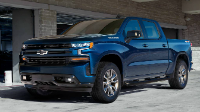


 System communication problem